Just a Sample
A downloadable plugin for Windows, macOS, and Linux
Overview
Your favorite sampler shouldn't be complicated.
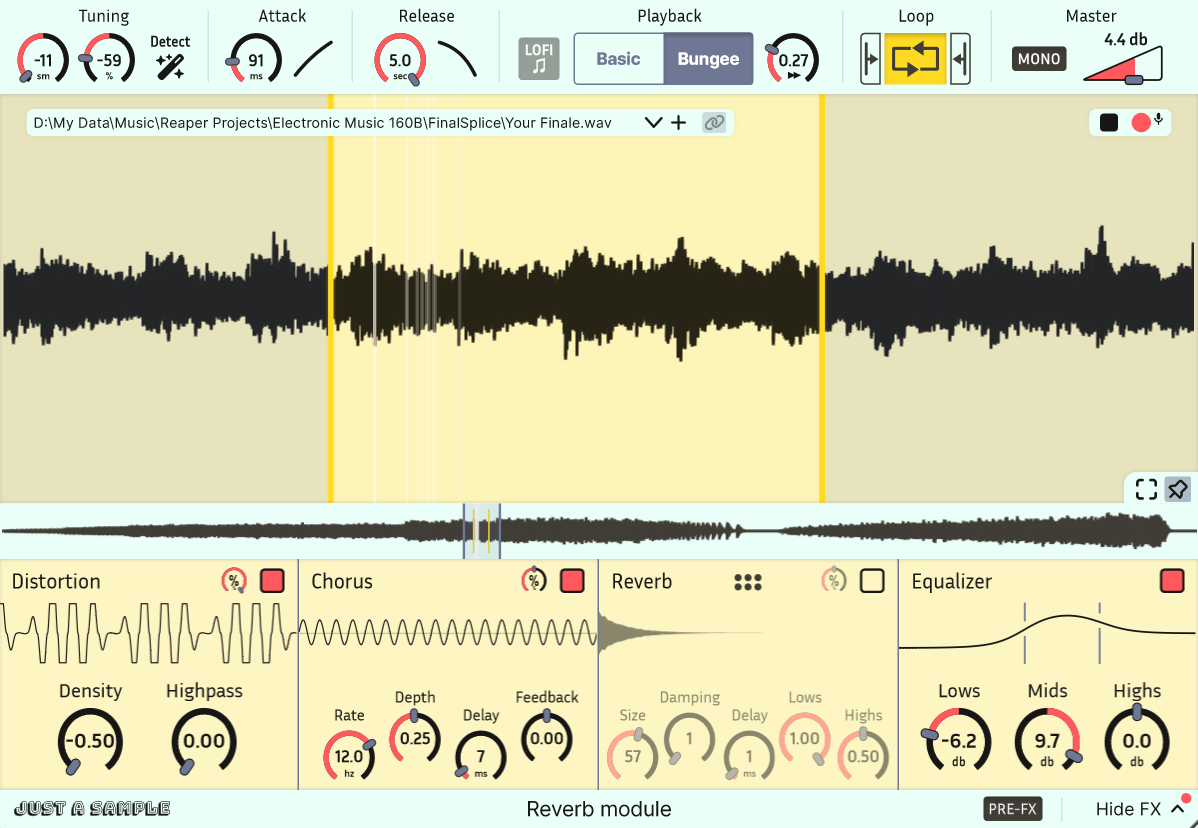
Just a Sample is a powerful, modern audio sampler, with a focus on simplicity and ease of use. Best of all, it's free and open-source! I spent a lot of time on this project, and I think it will be a great addition to your plugin collection.
Available for Windows, Mac, and Linux in VST3/AU.
Feel free to share with your friends, give feedback, and star the repository!
Report any problems on GitHub. I may not see comments or feedback left elsewhere. See the list of closed issues before posting.
v1.3 Changes
- Added
- Modern CMake and GitHub Actions workflow
- MTS-ESP support
- Parameter: Wide Tuning
- Parameter: Pitch Wheel Range
- Parameter: MIDI Root Note
- Parameter: Follow MIDI Pitch
- Parameter: Play Until End
- Parameter: A4 Frequency
- Improved
- Bungee performance
- Small UX changes
Core features
- Smoothly zoom in to the level of individual samples to
set bounds as accurately as you need. Waveform drawing is optimized for large samples. - Integrated Bungee time stretcher allows for
freely modulating time and pitch independently. Try extreme slow-downs (0.01x) for unique sounds. - Modern navigation controls allow for easy browsing of waveforms with touchpad or mouse.
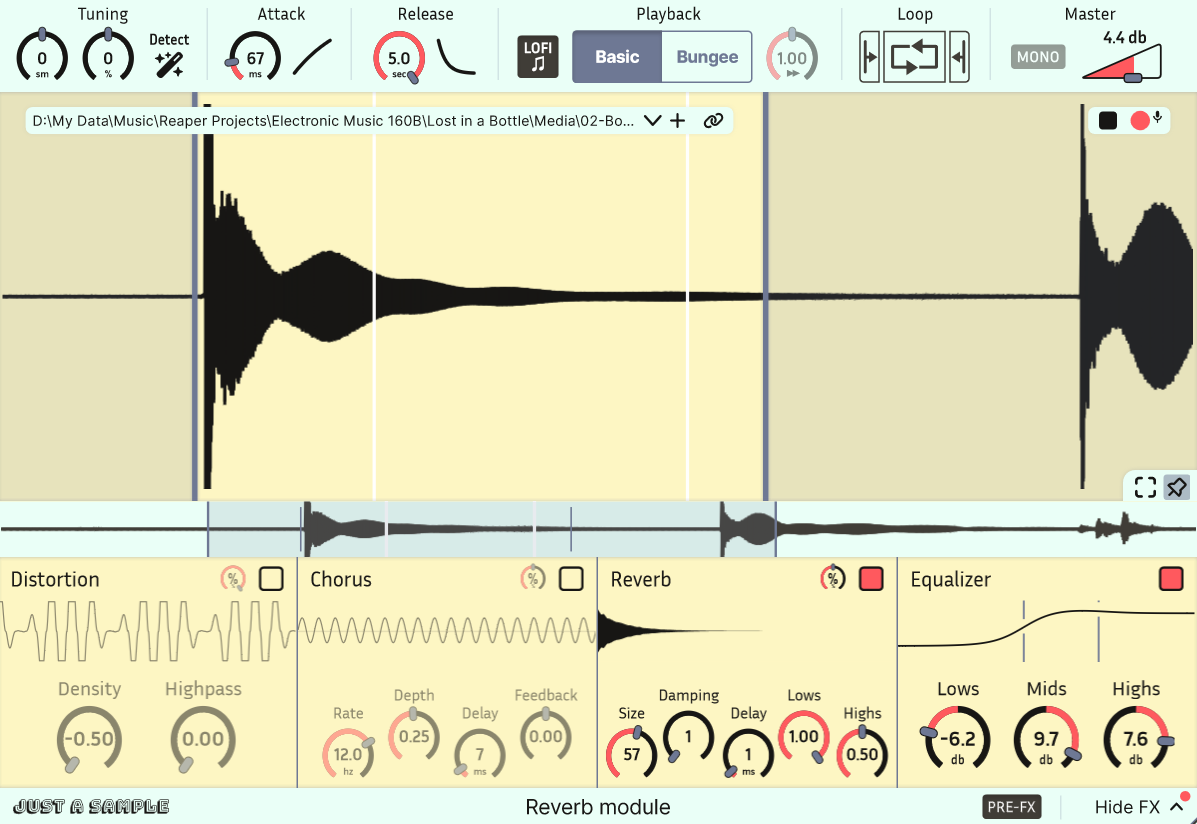
- A routable FX chain includes reverb, chorus, distortion, and EQ for easy sound design.
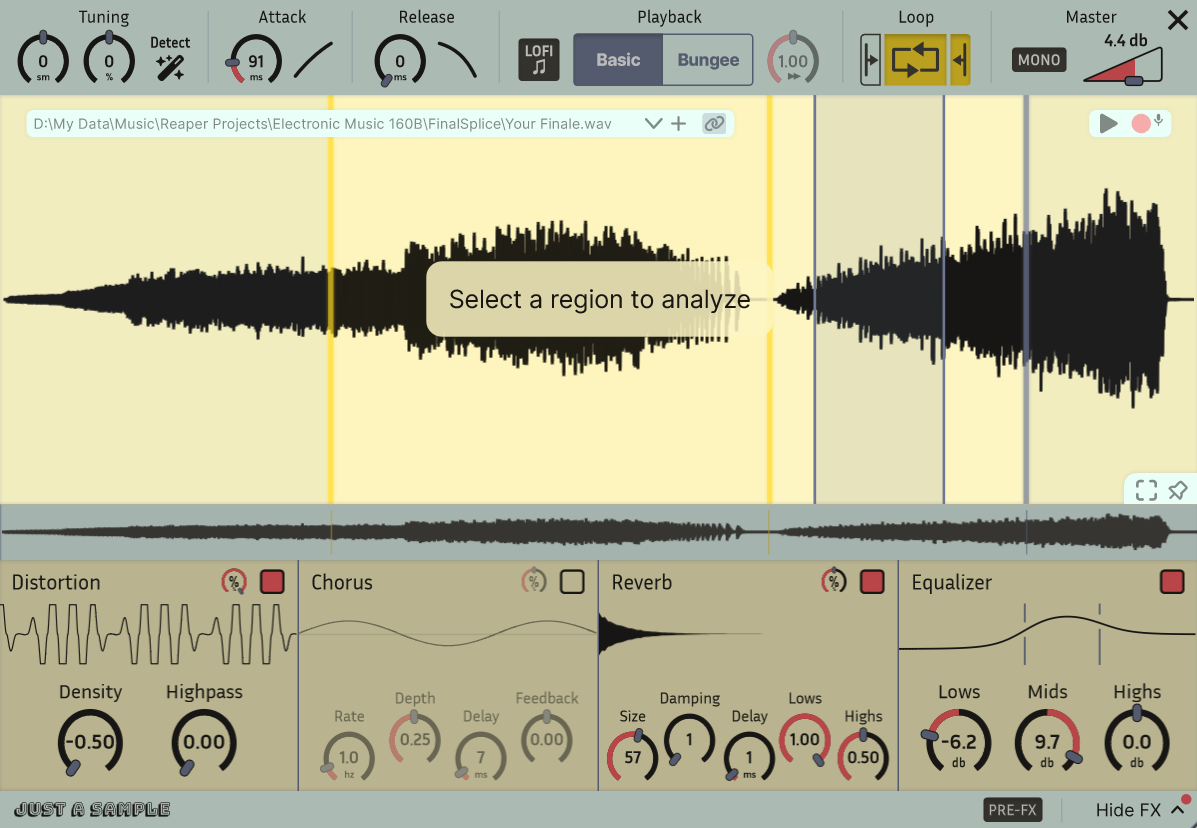
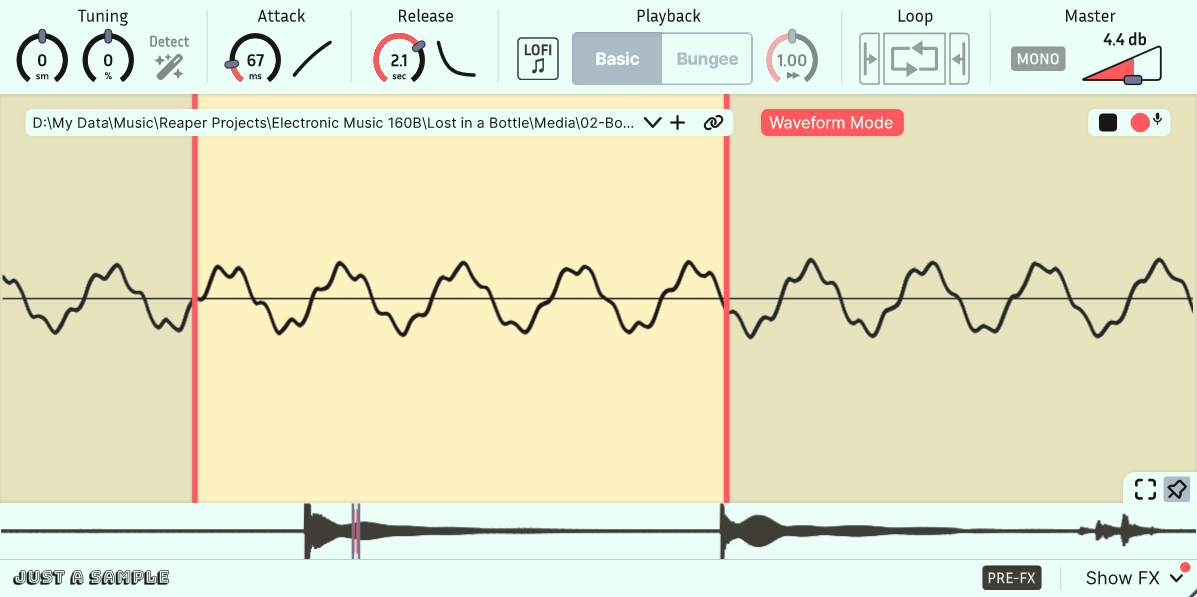
- Waveform Mode activates when small bounds are set, looping the waveform periodically like a wavetable synth. This turns Just a Sample into a unique tone generator.
- Easily modify attack and release curves.
- Includes equal power cross-fade looping with separate attack and release sample portions.
- Supports pitch bend and fine-tuning.
Extras
- Disable antialiasing for a gritty LoFi effect.
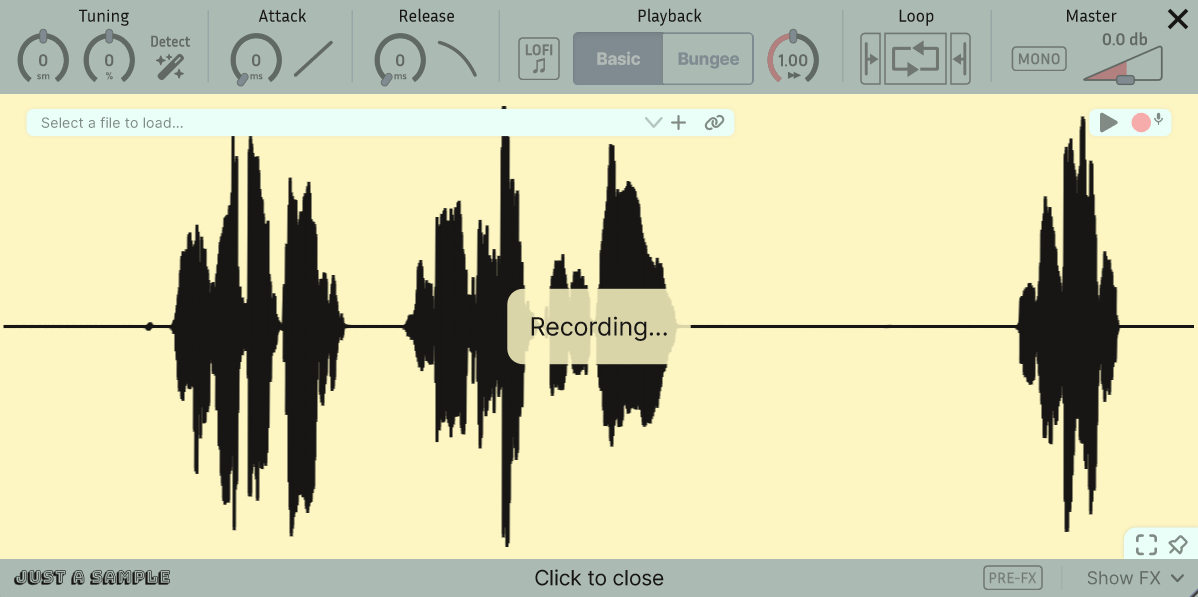
- Record samples directly into the sampler.
- Store samples directly in plugin state to remove dependencies (can be disabled).
- Auto-tune to A440 (experimental, works best on simple sounds).
Install Instructions
I recommend using the provided installers. You might need to first uninstall any previous versions.
You can also download the plugin files directly and set them up on your system however you want.
Feel free to leave a rating, give feedback, and star the repository on GitHub! Report any problems on GitHub. I may not see comments or feedback left elsewhere.
Note that your system will likely flag the installers as unrecognized, since I self-sign the certificates.
To remove the warning on Windows, I'd have to certify the application through a 3rd party "certificate authority", which can be $50-300 a year. To remove the warning on Mac, I can pay $99/yr to Apple. I make no money from this, so that is currently not an option.
Windows Troubleshoot
- Windows may flag the installer as a virus (Trojan is a common false positive). If this happens, you need to allow the file through Windows Security. In Virus and Thread Protection, you can navigate to Protection History and allow a blocked "threat".
- When you run the installer, you will get a popup from Microsoft Defender SmartScreen where the only option is "Don't run". You can click "More info" to continue.
Mac Troubleshoot
- You will not be able to double click on the installer to start installation. Instead, right click the file and press open from the dropdown. You may have to also lower your security level in Logic.
- If the above option does not work, go to Settings, Privacy and Security, and scroll down to press "Open Anyways".
Feeling generous? Support music education.
Save The Music is an American national music education charity that helps public schools restore music programs. If you live elsewhere, consider donating to a musical cause that impacts your own community!
Download
Install instructions
Development log
- Just a Sample v1.3Mar 06, 2026
- v1.02 Linux and Windows Issues PatchedAug 01, 2025
- 10k Installations and v1.02Jun 27, 2025
- A Modern Audio SamplerDec 27, 2024
Comments
Log in with itch.io to leave a comment.
goated contribution to digital art
Appreciated!
Does this work in audacity?
To the extent that Audacity supports MIDI tracks (not much), I don't see why not!
Hey just wanted to state I'm having crashing issues on ableton with this plugin when exporting, I went through my plugins and identified this is the problem unfortunately. Just getting a serious crash has occured... when I export and it works fine if this plugin isn't on a track.
Are you using Windows? Was this with the 7/29/25 patch or with the initial v1.02 build? I’m working on patching the issue there (someone is having a similar problem for FL), see https://github.com/BOBONA/Just-a-Sample/issues/40
If you’re using Mac, I’m unable to patch the builds for another week or so.
This should be patched on Windows. You'll need to uninstall and redownload the builds.
I am on windows, it's all working now thanks goat
Please check these 3 videos about what I told about moving start/end position and you might get an idea how powerful it could be. This is a simple reaktor sampler someone made by my request. Besides looping like basic sampler it can also loop a region without changing the pitch of the sample, but by changing loop region. So it can play notes by changing loop size, which gives different interesting result.
Also the cool feature he made just by himself is a pitch slide. I think it is somewhat similar to a bend modes in Serum. It makes a pitch slide inside the loop, not a pitch slide of the playing note, but only inside the loop, like bending the sample inside the loop.
So the problem with this sampler is that it can't play smoothly when changing the start position. It creates clicks. I hope videos are presentable enough to show how powerful this thing could be.
I call it Scan Synthesis(cuz the loop could slide over the sample). Had this idea back in the end of 90's and wonder why no one made it. I think the idea is very on the surface in looping in samplers themselves.
These are all great ideas but outside the scope of JAS. I'll keep it in mind if I make another project :)
ah, a pity. I think that feature would fit perfectly into it
Is there a way to move start and end simultaneously in waveform Mode? I think not?
Make the loop possible to automate in the DAW. In the trailer you written - turn sample into wavetable, but how it's a wavetable if I can't move position of the loop?
I'm use the term wavetable a bit loosely. You can move start and end simultaneously by pinning and moving the viewport around. For now, automating the loop is not a feature. I will consider making that a feature in a future release, it's just a bit tricky because that requires setting the bounds in terms of an inexact percentage.
1. Moving viewport not updates sample real time. Only after next note pressed it starts to play new chunk.
2. Not possible to automate the viewport movement
hi, I found a small bug/feature - even if the attack is set to zero, there is still a 1 millisecond fade-in. Can this be removed? In my opinion, if an attack is set to zero, then it should be strictly zero, there are cases when this is quite critical. And I would suggest doing a full zoom-out by double-clicking the mouse in the navigation field.
Thanks for the suggestions! I will implement the navigation idea. Could you elaborate on your first request on GitHub so I can think about it more?
FYI, these have since been fixed.
Dear Binyamin,
Your JUST A SAMPLE seems to be great and perfect but...
I have downloaded the different versions of the JUST A SAMPLE installers for MacOs.
MacBook Pro M2 Max. The installation process was perfectly done, the files are in there correct folders but there is nobody in the Ableton Live 12 suite, 12.1, plug in list.
I did a reset of the plug in list in the Live preferences. Nothing.
I quit Live and relaunch it. Nothing.
I restarted the computer. Nothing.
What did I do wrong or what did I do not?
Do you have an idea?
Best
Gerome
Hey, that definitely is weird. Does it appear in Logic? Please report the issue on https://github.com/BOBONA/Just-a-Sample/issues and we can continue the discussion there.
Hello,
The problem was that macOS didn't want to open it because of a security protection. As I said before, the first time it doesn't appear in my plugin list. Now it finally appears but an alert said that security blah, blah, blah... I forced to open it anyway and it runs!
;-)
Hello, is it OK now with sequoia please?
I believe it has always worked with sequoia. It is built on a new MacBook Air for ARM and x84_64 architectures.
Thanks so much for making this! Question, Are there any plans to (eventually) expand this to be a Chopper (like Serato)?
Choppers are awesome, but I think that's outside the scope of the plugin. For now, I'm sticking to a single audio source with a single region. Thanks for checking it out!
No worries, again thank you for taking the time to make this :]
Curious, What programming language did you build this around?
It's all C++. Take a look at the GitHub.
Mac OS 15.1 Sequoia won't install this VST 3.
1.) I open the Zip
2.) a document entitied, "JustASamopler.vst3" appears instantly.
3.) I placed it in the VST3 folder
4.) immediately a dialog box shows that reads:
"The operation can’t be completed because “JustASample.vst3” needs to be downloaded."
I contacted help here, but have no response.
Hey, thanks for reaching out! Itch.io forwarded your email to me, but I guess my response didn't get through.
First, try to delete the version you downloaded, and use the provided Mac installer. Here's a direct link. It will place the VST3 and AU files in the correct locations. Sometimes the AU version loads when the VST3 won't. If you have any more problems, please open up an issue on GitHub (where I am guaranteed to respond).
I've been interested in sampling sounds for weeks now and was looking for an easy-to-use and versatile plugin to get started. And suddenly the algorithm shows me a video of this - just what I needed! Thank you for your effort in creating this VST
Great Tool! Thanks!
Bungee Mode time-stretches the sample. Very nice, not many samplers having this!
Can Zoom In/Out via Mousewheel be switched?
I am used to zoom in by scrolling forwards and zoom out by scrolling backwards...
You're right, that's the standard way of doing it. I must've swapped directions by accident at some point. There will probably be a patch within the next few weeks to tweak a few things.
key A5 on windows in basic playback mode, drops out. That issue needs to be addressed. other than that, this plugin is very nice and I like the audio quality during playback of samples. its very easy to use
Is it just key A5 and nothing else? Make a new issue on Issues · BOBONA/Just-a-Sample
As far as I can tell it's just key A5, when you change the pitch of it or change the tuning the problem goes away, so it's got to be something simple
Nice!